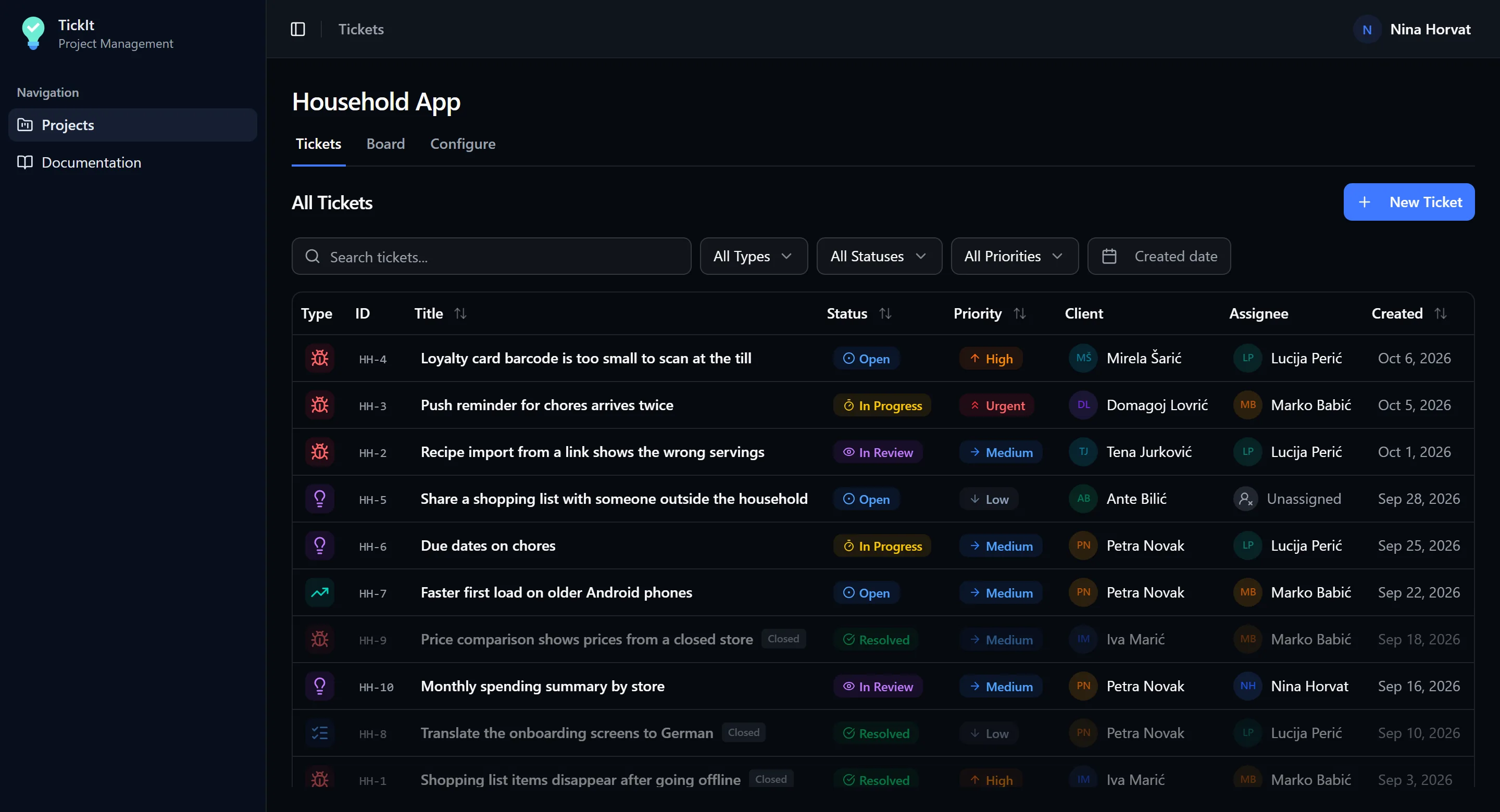
A ticketing app for any team that takes in requests and works through them: bug reports for a product, repairs in a hotel, an office helpdesk, content changes for a website. Each project sets its own ticket types, workflow and form fields, and other apps can file tickets into it on their own.
Project admins hear about every new ticket by email and push notification. People sign in with an email and password or with Google, and the app installs on a phone or a computer like a native one.
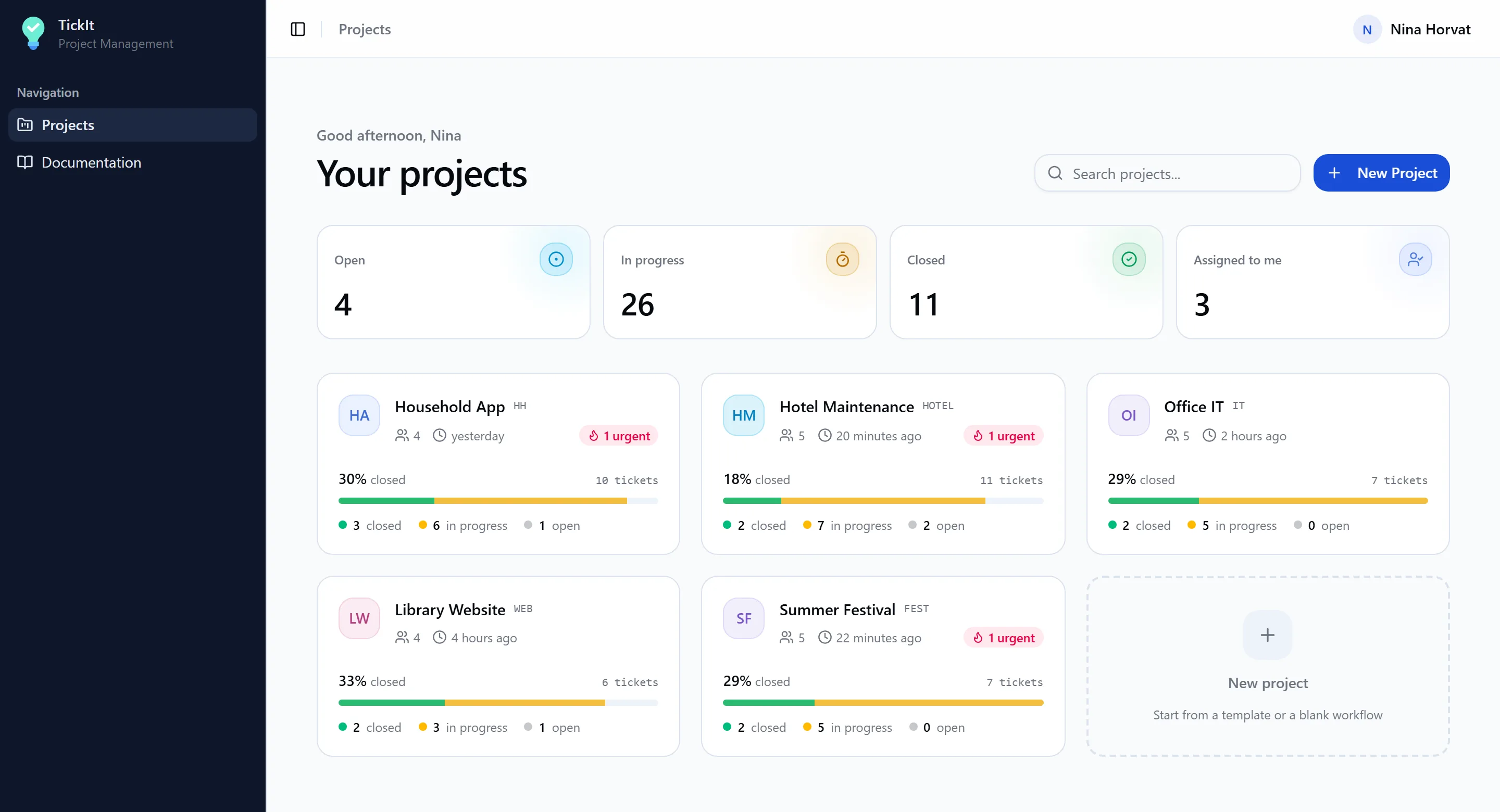
Each project card shows its closed, in-progress and open tickets and flags open urgent ones. The totals above it include the tickets assigned to the person signed in.
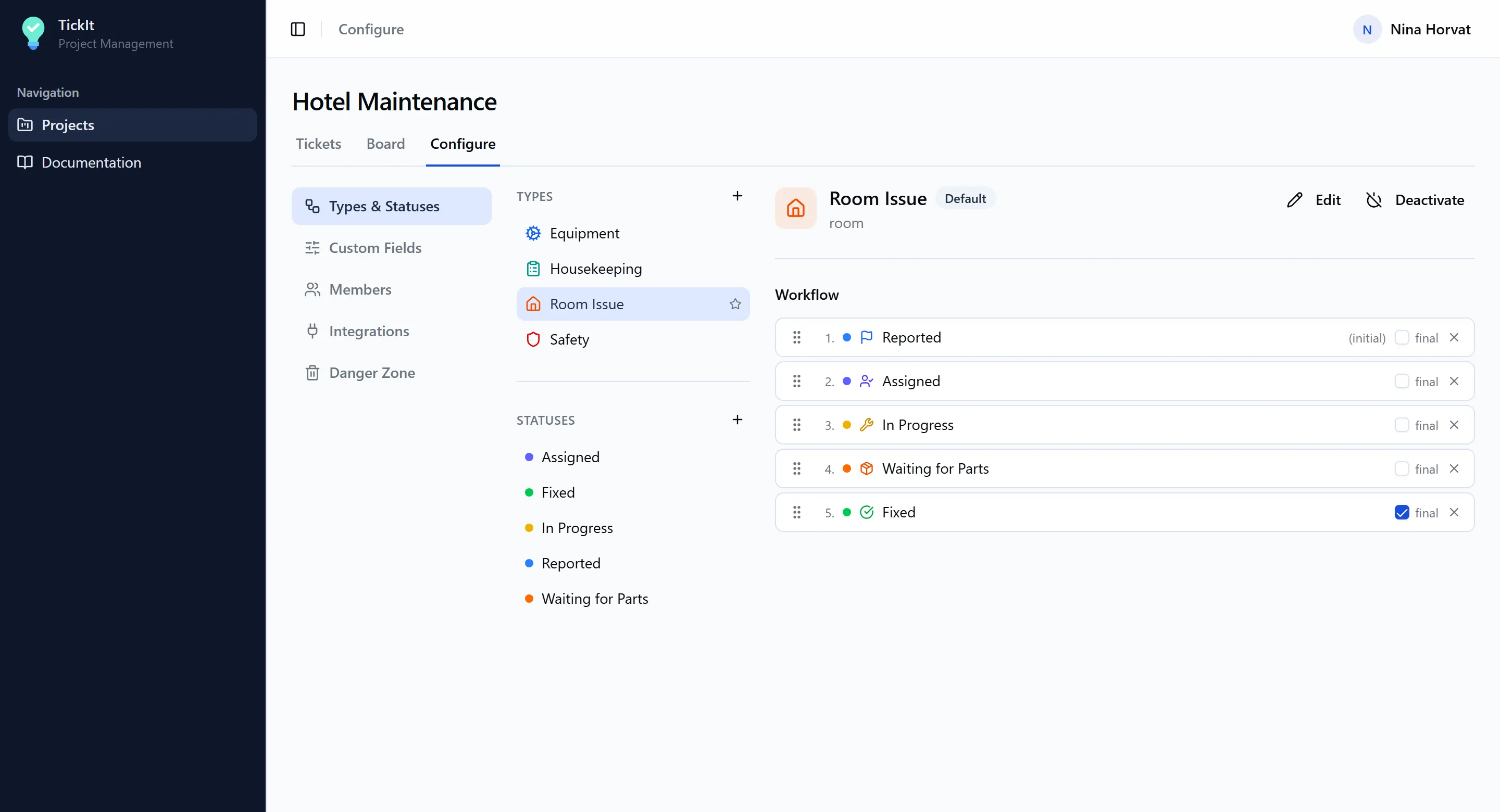
Admins define each project's ticket types, the statuses each type moves through in order, and which status counts as done. A hotel's room issues go from Reported to Waiting for Parts to Fixed; a website's content changes go from Requested to Published.
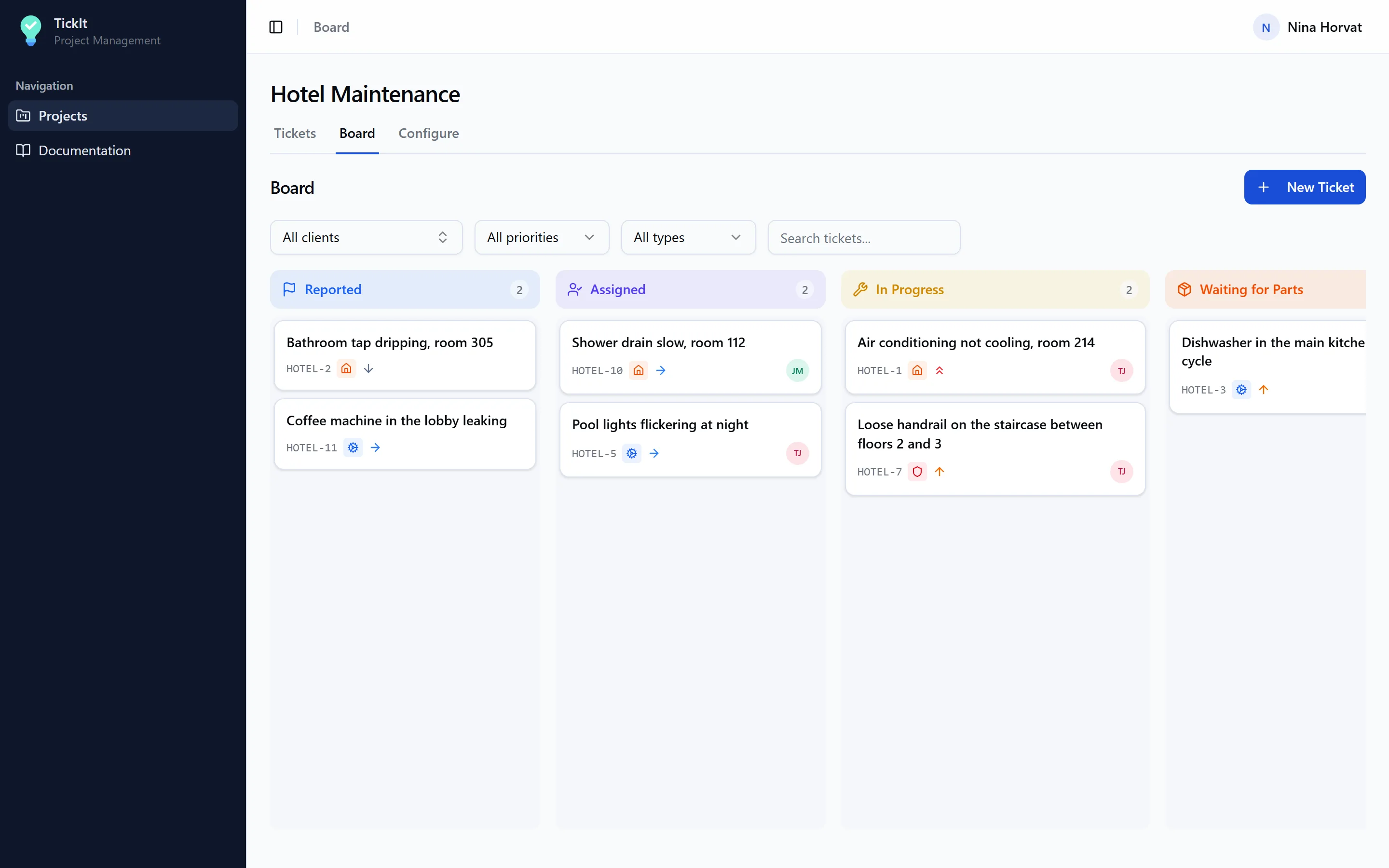
Tickets are worked from a sortable list or from a board with a column per status, where dragging a card to another column changes its status. Both filter by type, priority and client, and search covers titles, descriptions and ticket numbers.
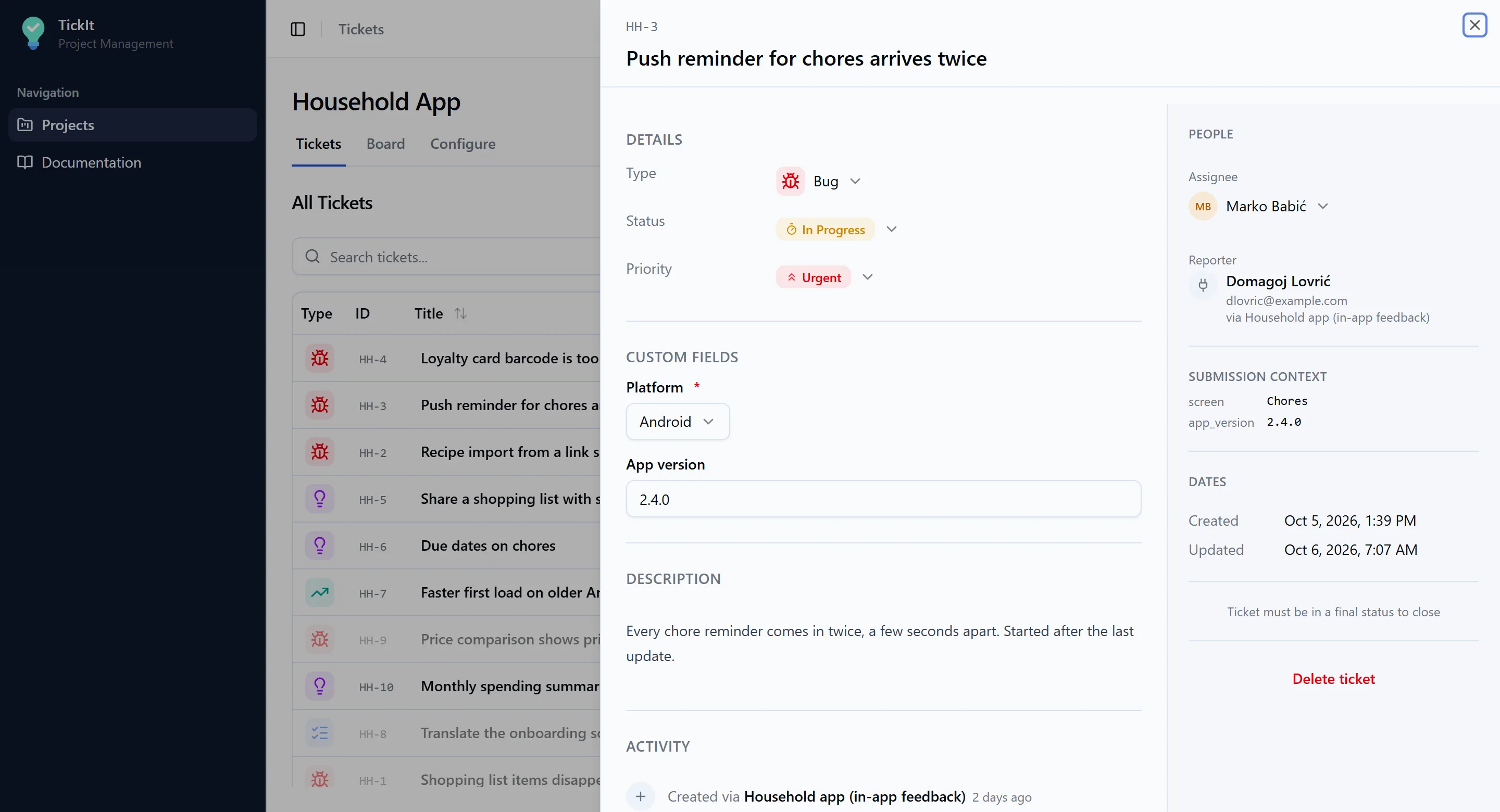
A ticket opens beside the list with its type, status, priority, custom fields and description, then comments and its full history. Every change to the status, type, priority, assignee, title or a field is recorded with who made it and when.
Other apps can file tickets on their own — a “report a problem” button in another app's admin, for example — each with its own access key tied to one project. The ticket records who submitted it and the context the app sent along, such as the screen and the app version. A ticket resent after a dropped connection is recognised and not created twice.