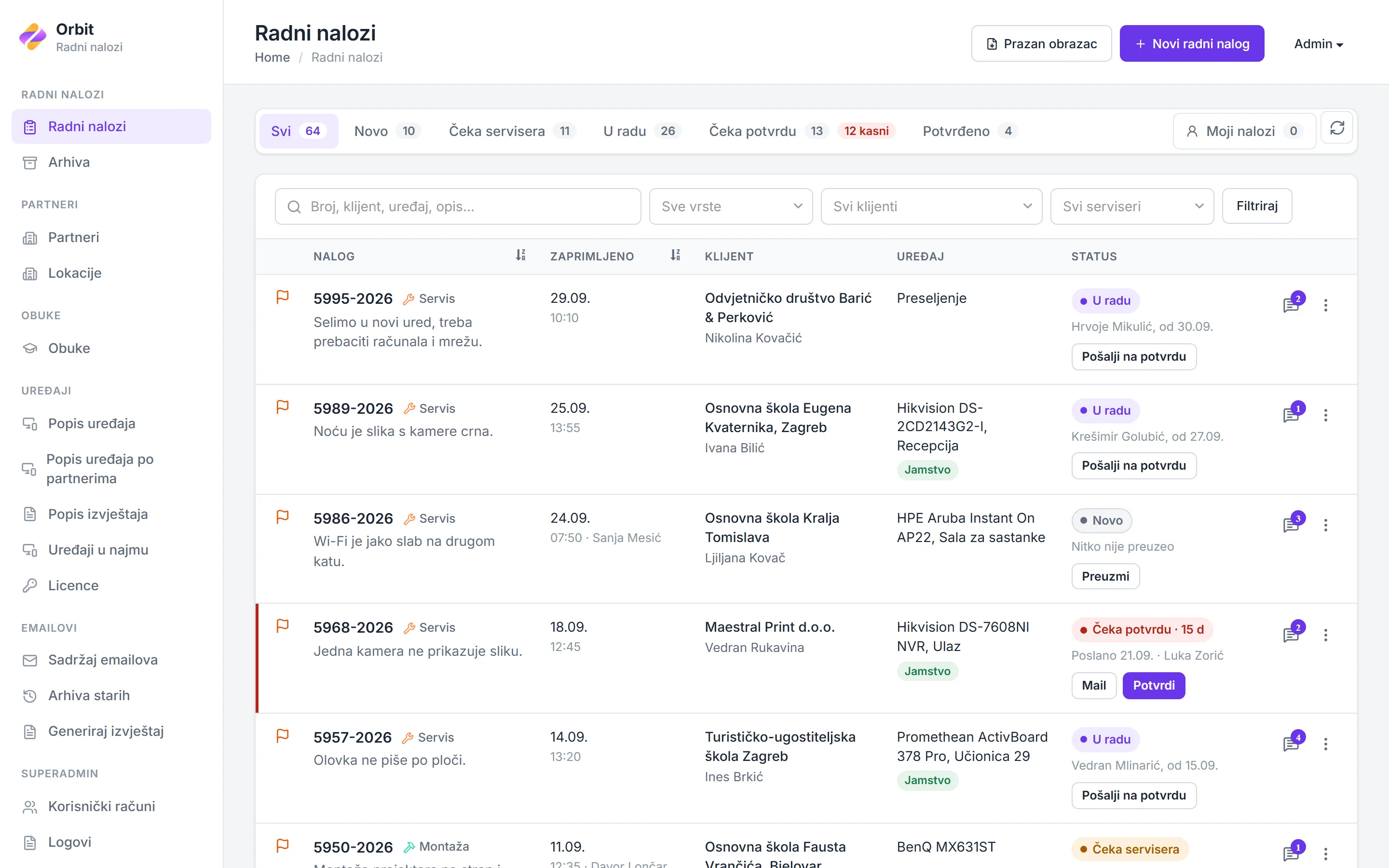
A service desk for a company that installs and maintains equipment at its clients' sites. Requests come in from client contacts or the office, pass from the office to a technician, and close only when the client confirms the work from a link in an email. Scheduled maintenance, rented devices, licences and trainings are tracked per client in the same system.
Office staff take incoming requests, technicians take orders and record the work, and administrators manage clients, devices and accounts. A report screen filters every order by word, type, client, technician and date range, and prints the result.
Open orders sit in one list, split by where each one stands: new, waiting for a technician, in progress, waiting for the client's confirmation, and confirmed. Each tab shows its count, and orders that have waited two days or more for the client are flagged.
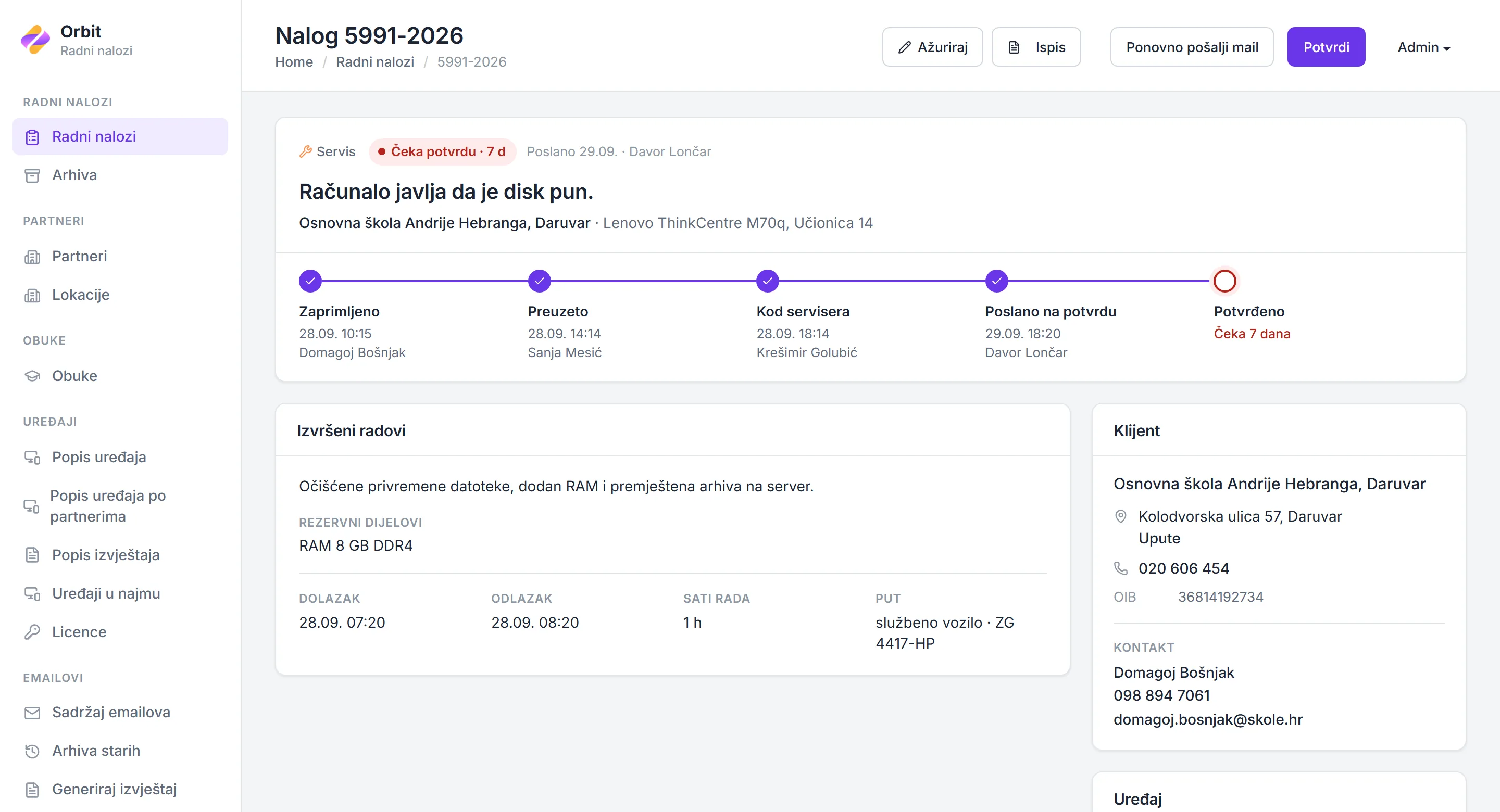
Each order passes the same steps: received, taken by the office, taken by a technician, sent for confirmation and confirmed, each with its time and the person who did it. The technician records the work done, spare parts, arrival and departure, hours on site, and the vehicle used with its mileage.
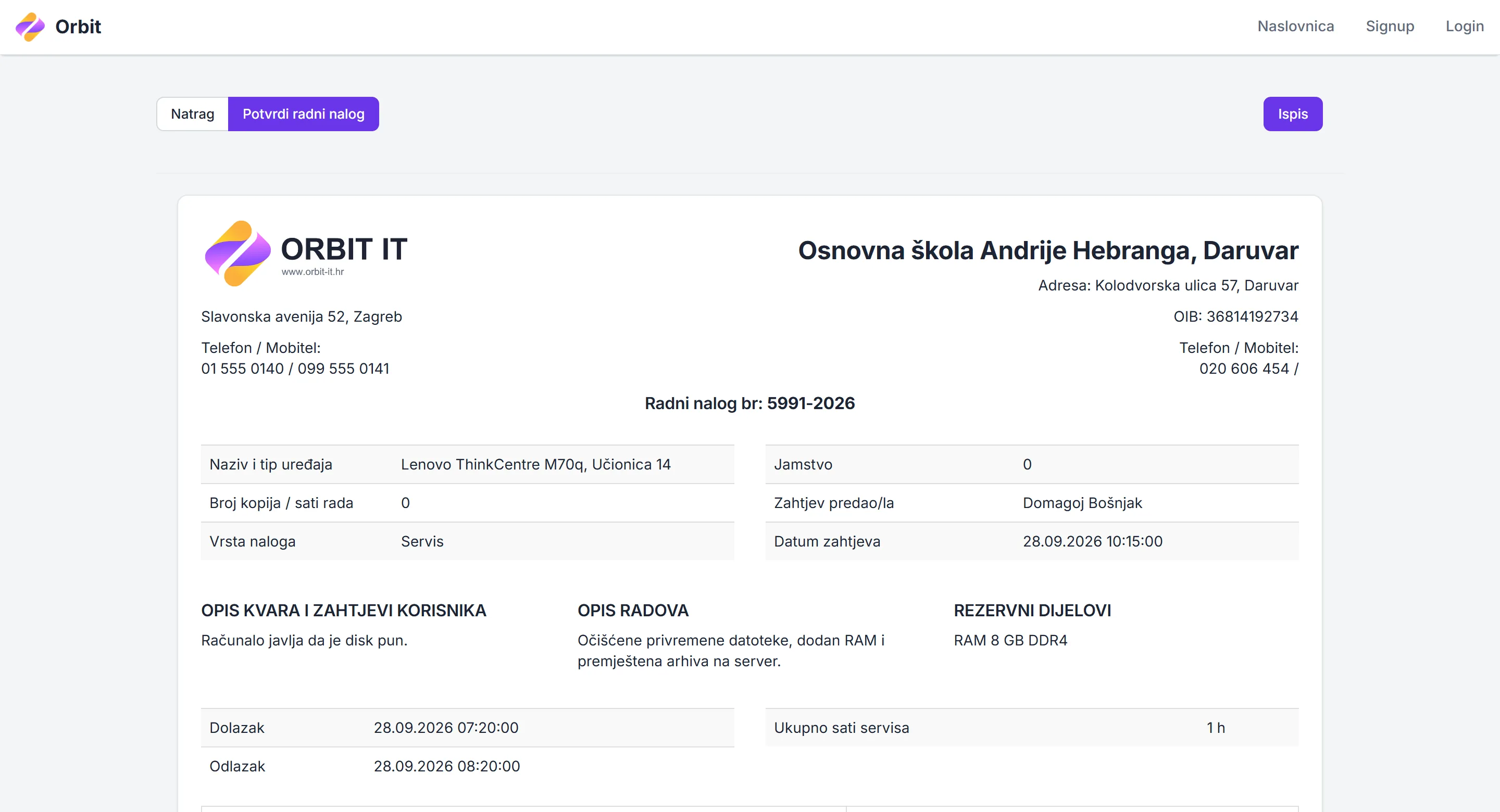
Sending an order for confirmation emails the client's contact a link to the finished order, with the work, parts and hours, and tells accounting to invoice it. The link opens without a login and stops working once the order is confirmed. When a client confirms by phone instead, staff confirm on their behalf, and the order records who did.
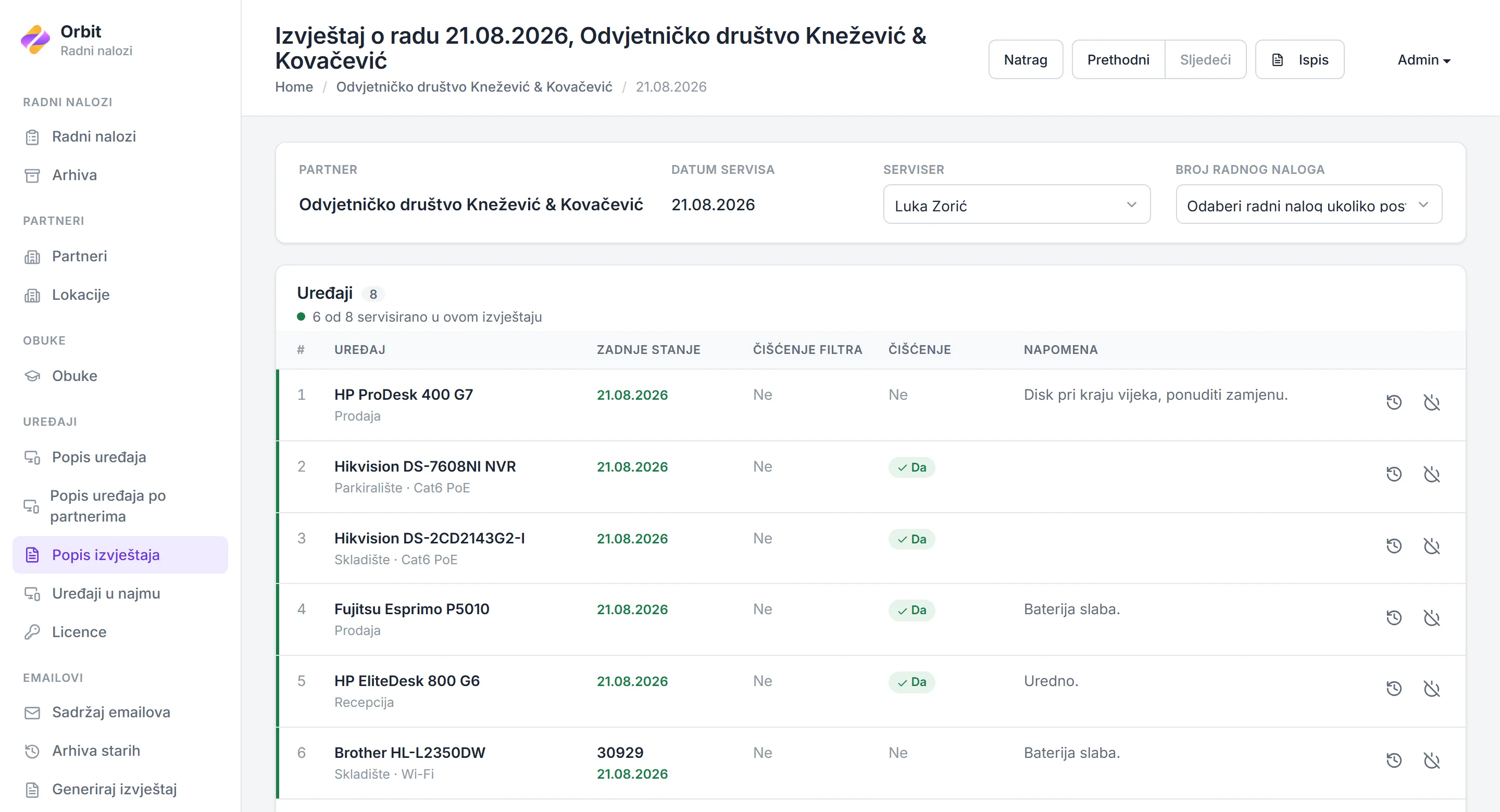
Scheduled maintenance is recorded per visit, not per device. One report lists every device at the client's site, and the technician records each serviced device's condition and what was done to it. Saving moves each serviced device's next planned service to a year after the visit.
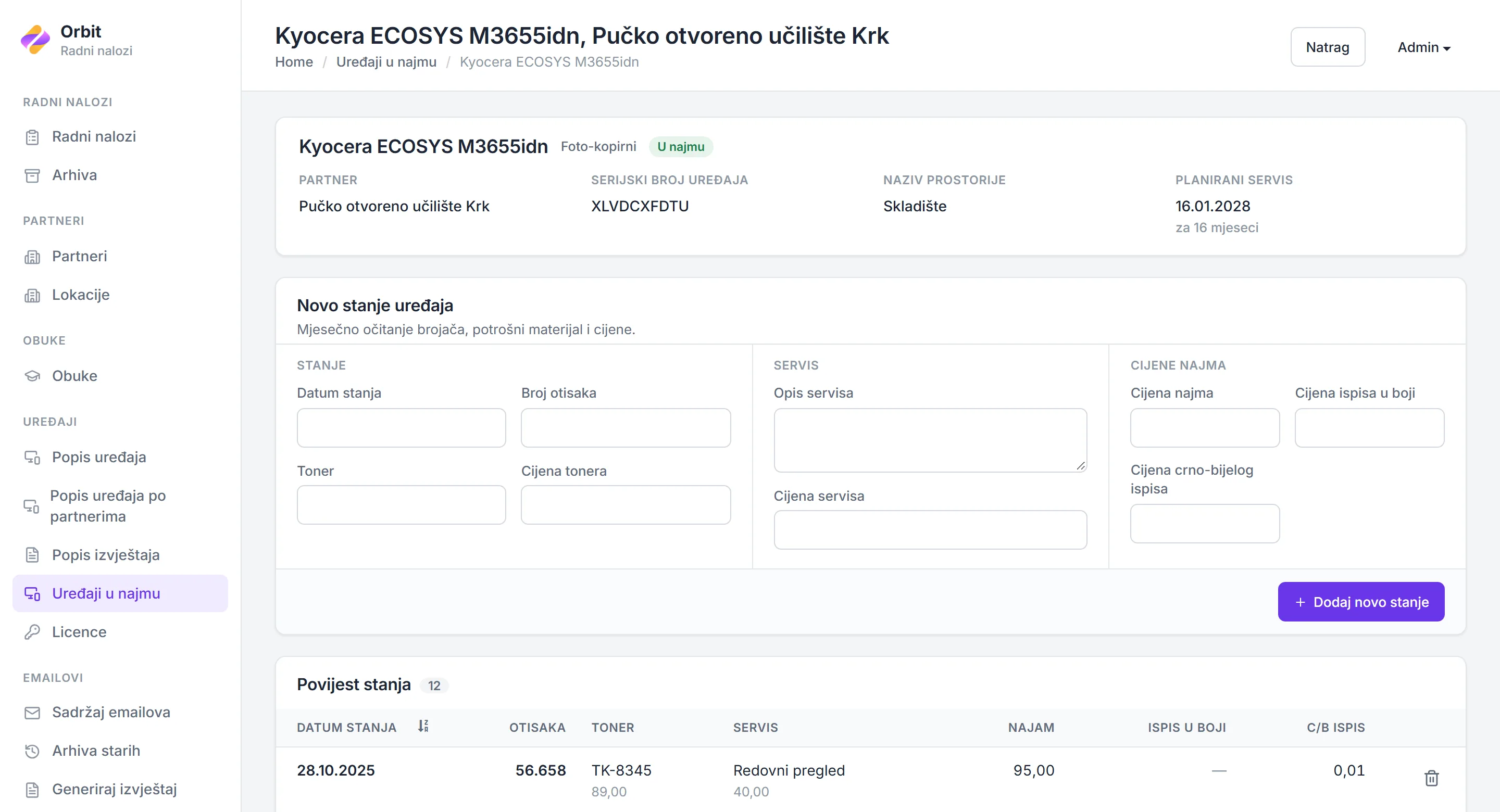
Each rented device gets a monthly reading: its usage, consumables, any servicing, and that month's prices. The readings build a history per device.
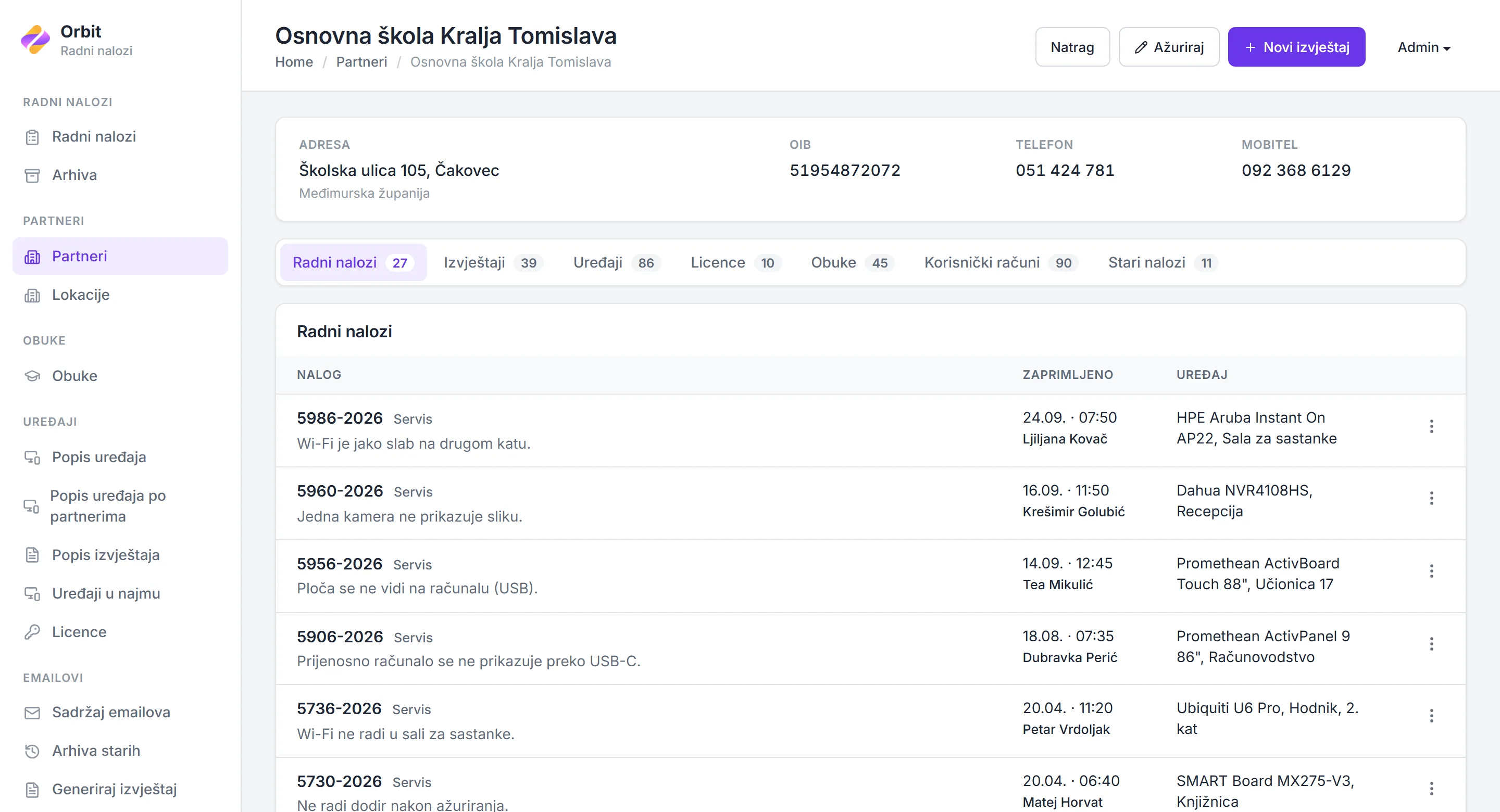
A client's page gathers its work orders, service visits, devices, licences, trainings and user accounts, each on its own tab. Licences for interactive boards and displays carry their issue and expiry dates, and a training lists its attendees, who receive the materials in one email.